Skip to product information
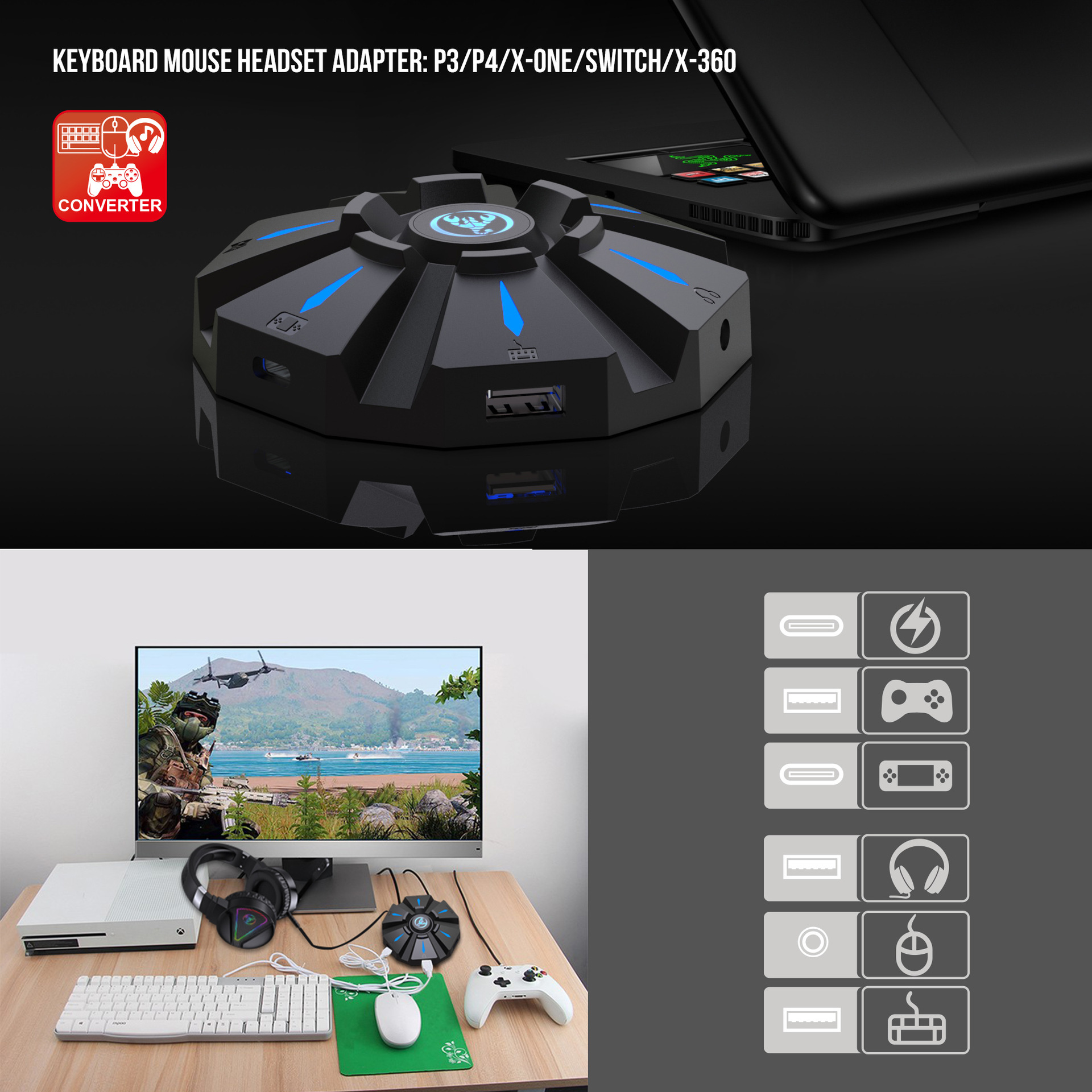
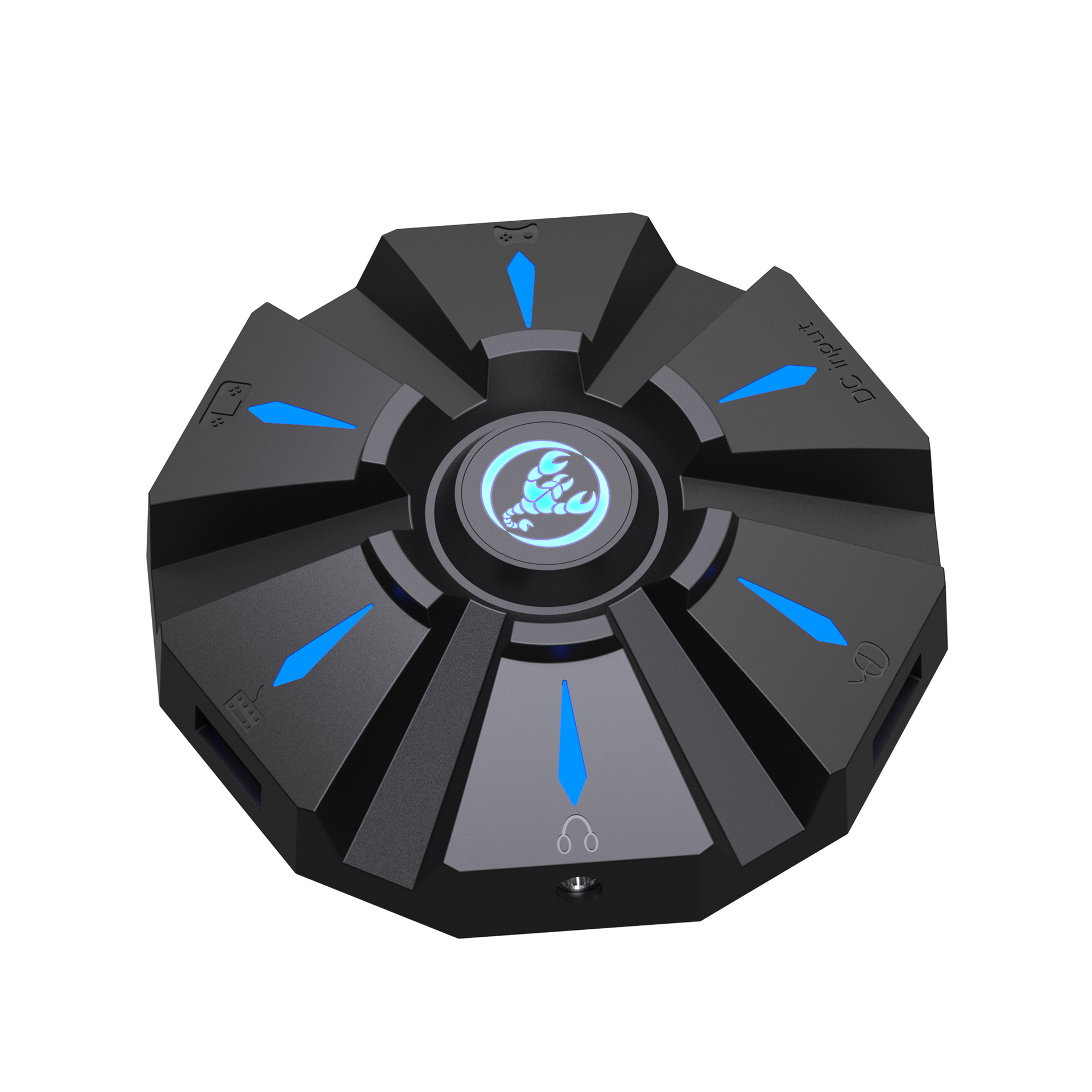
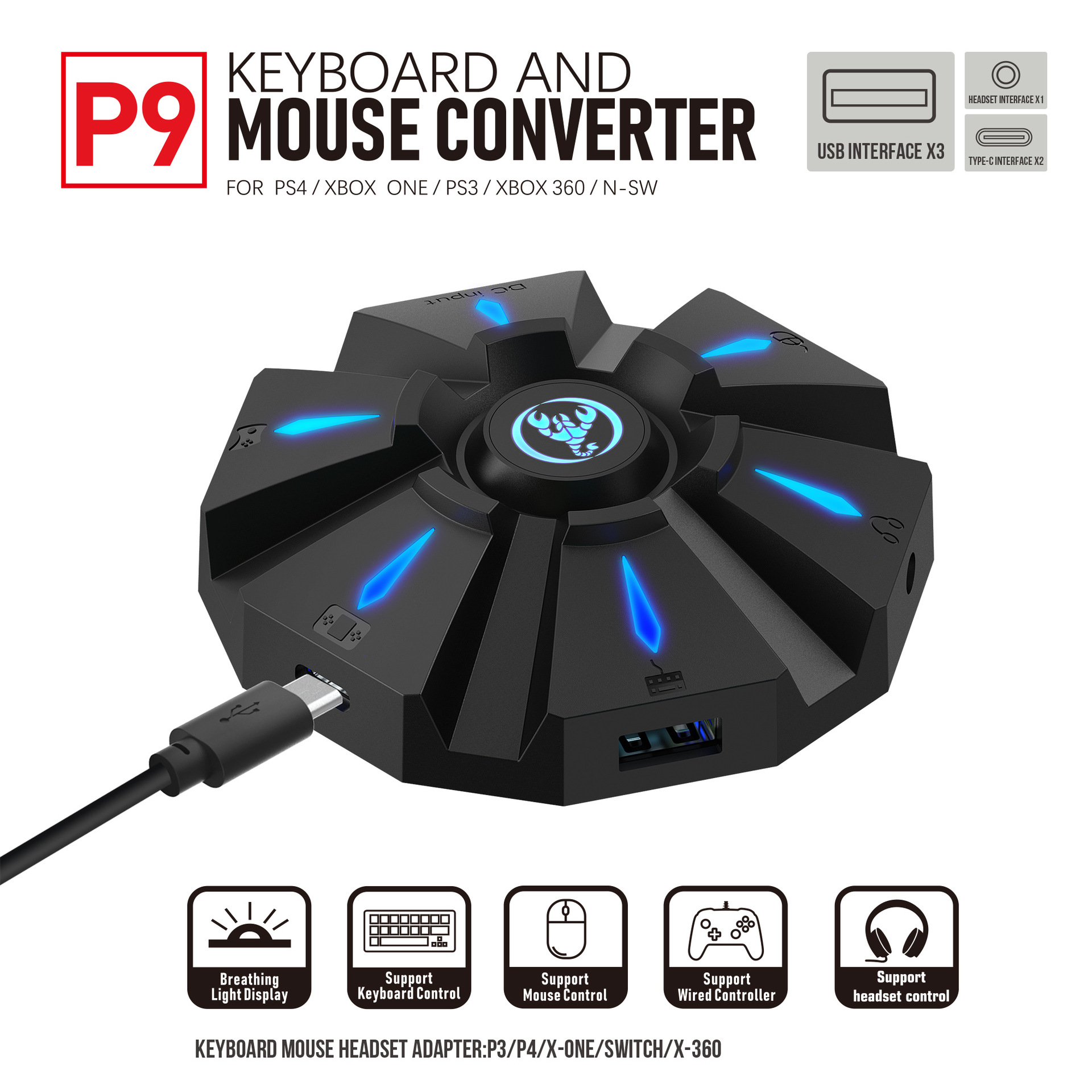
P9 keyboard mouse converter set supports various gaming devices and gamepads in the market

We reduce e-waste by combining multiple chargers into one efficient hub.

P9 keyboard mouse converter set supports various gaming devices and gamepads in the market

One wall outlet. Three cables. Zero adapter chaos.

$36.24
This hub replaces three separate charging bricks.
  • Charges iPhone 17 to 50% in 30 minutes
  • One plug powers your phone, tablet, and watch
  • Compact build fits behind tight furniture
  • Overheat protection for battery longevity
Color - P9
Limited stock available for current batch
Free shipping on orders over $50 - 1-year warranty included
  • 3-in-1 Power One socket for all tech
  • Dual PD 20W Pro-grade charging speeds
  • Space Saver Slim profile US design
  • Certified Safe Full CE safety protection

Order within 23 Hrs. 42 Min. to get it by

Ordered Today
Shipped
Delivered

Loved by 5,000+ busy routines

The Details


Specification:
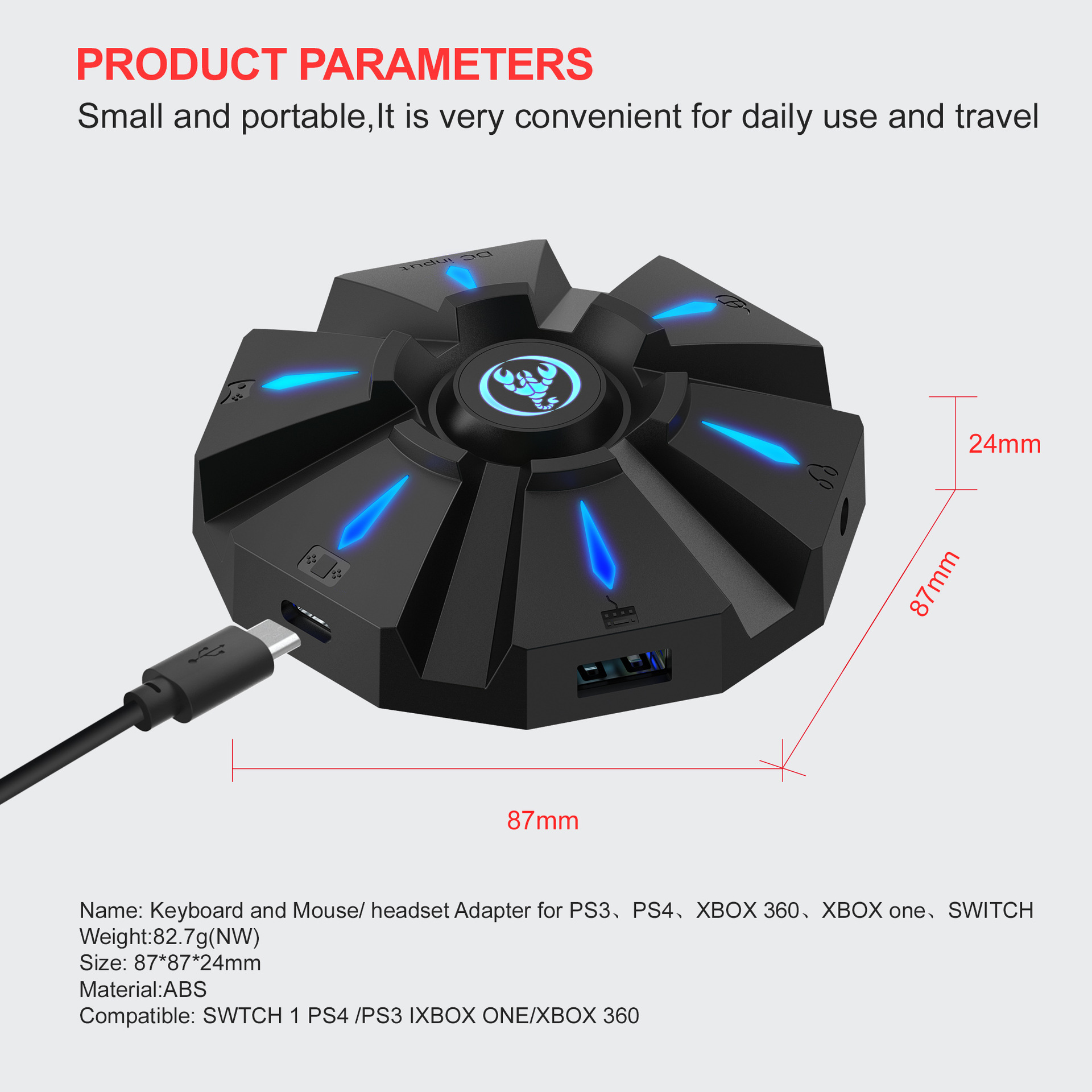
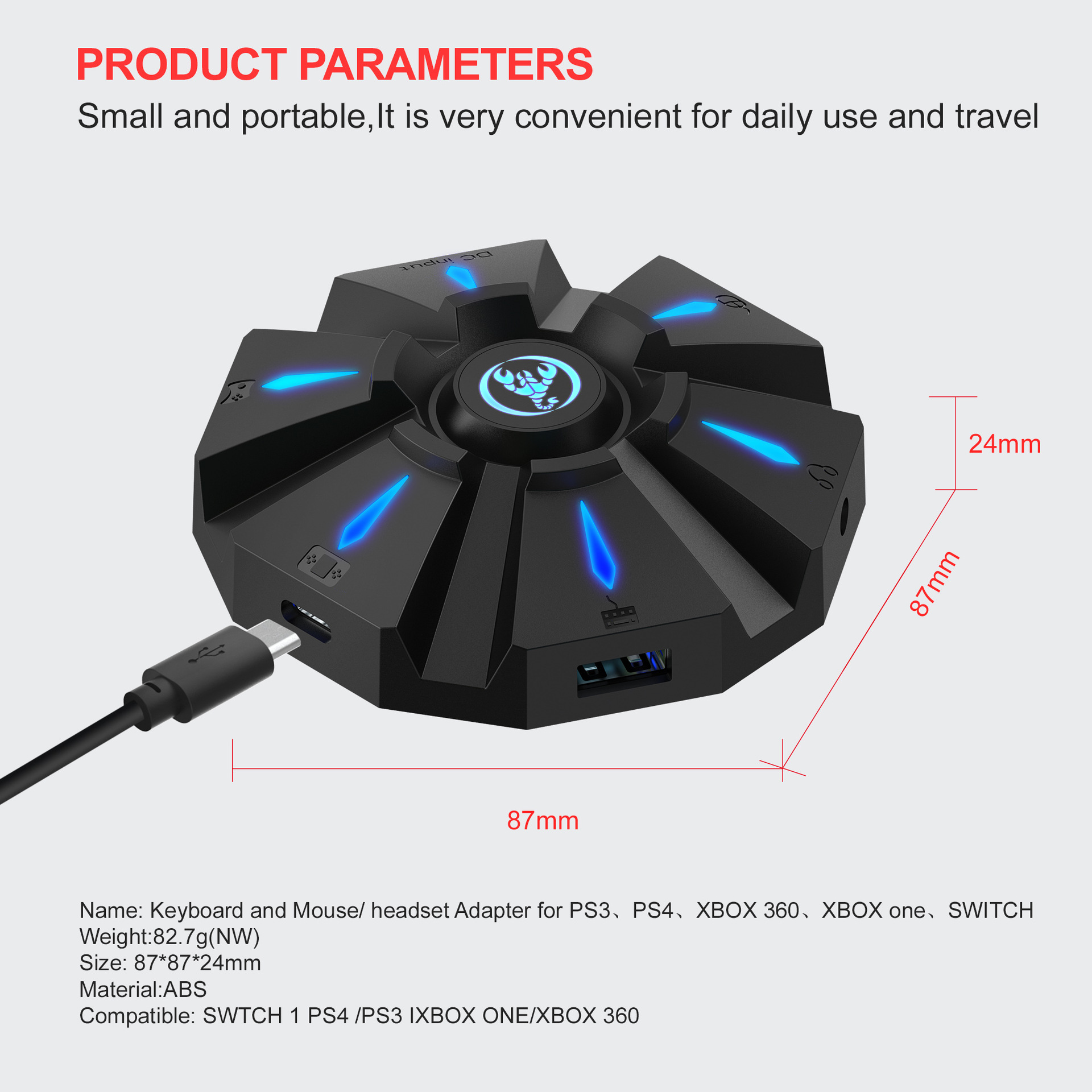
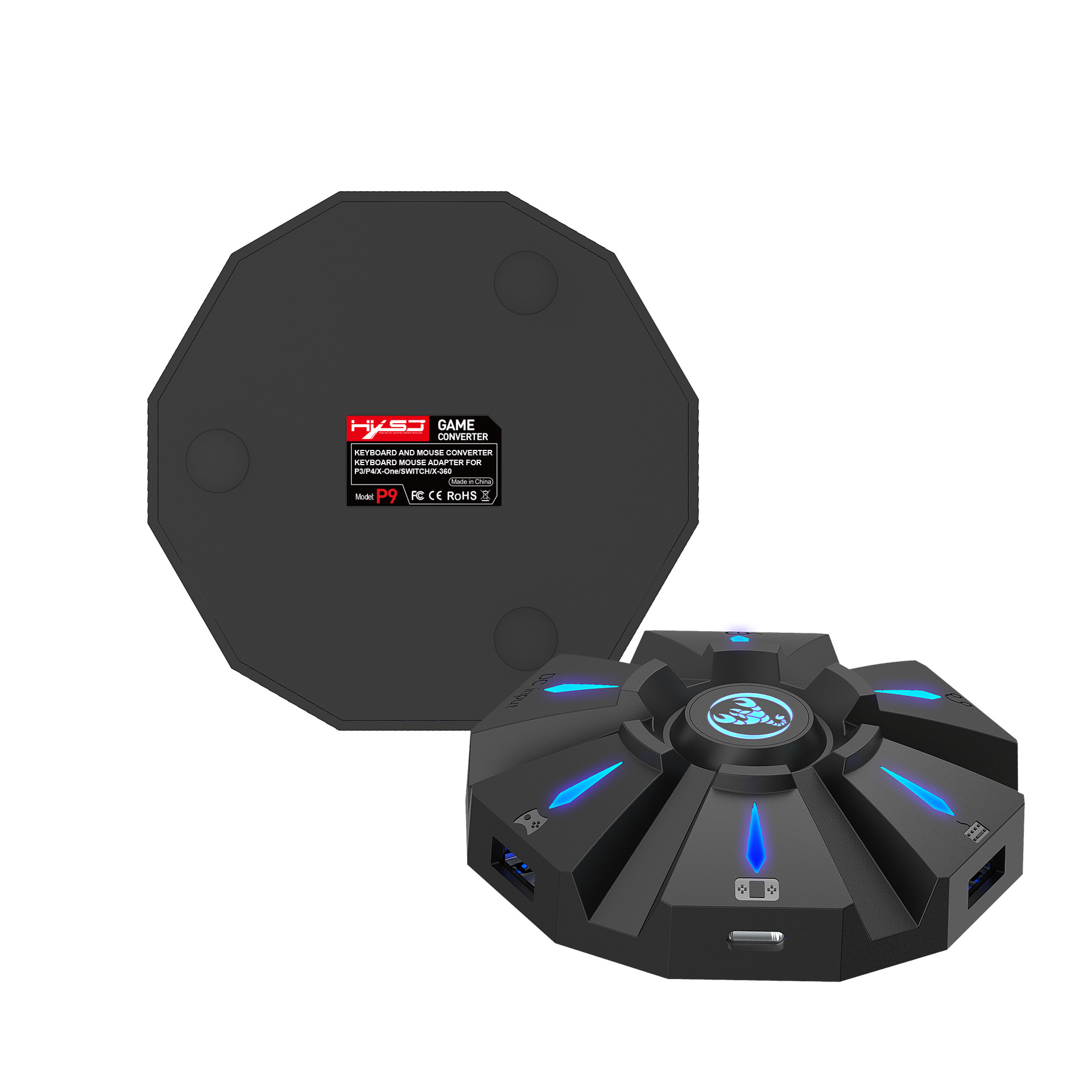
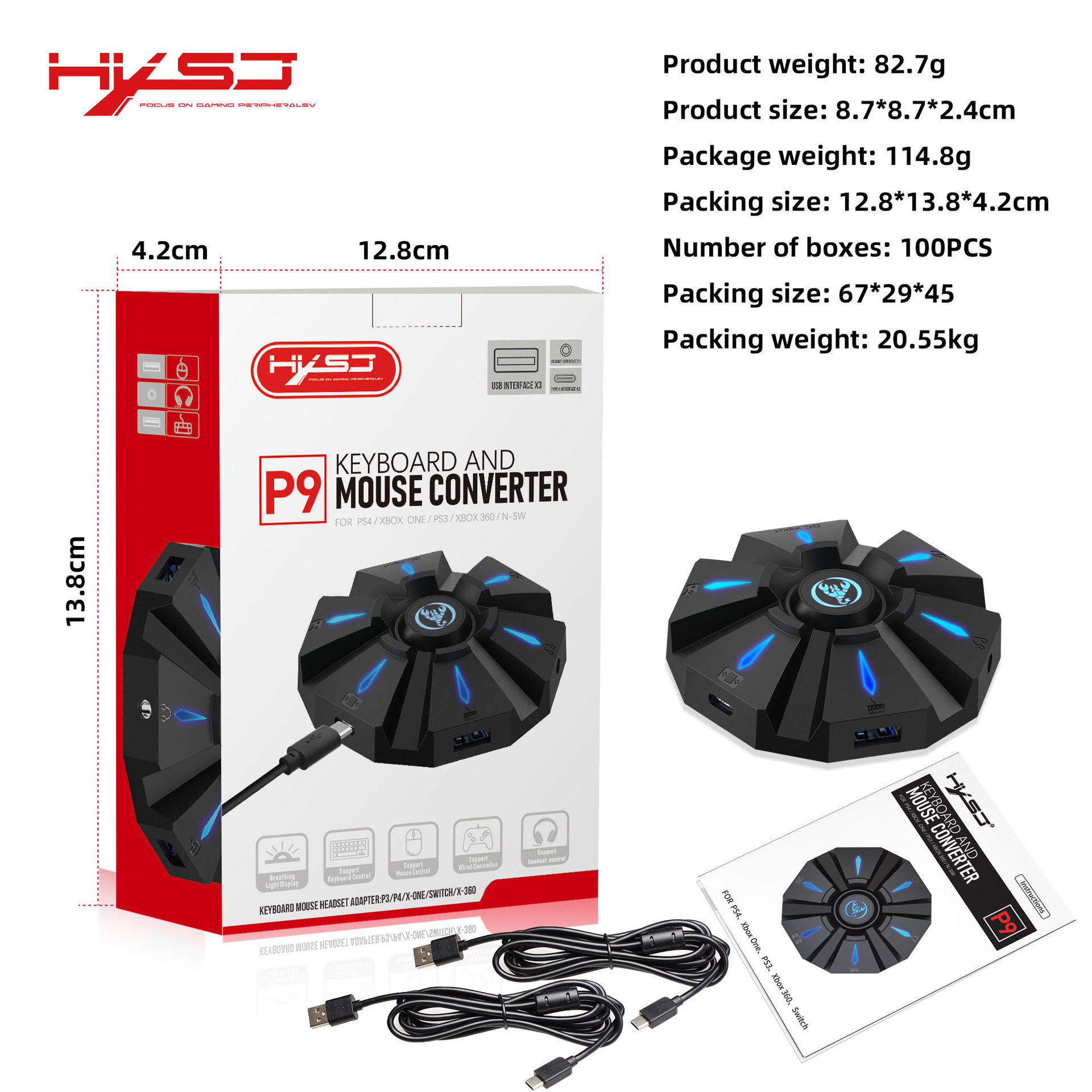
Item name: Keyboard mouse converter
Brand/Model: HXSJ/P9
Color: Black
Material: ABS
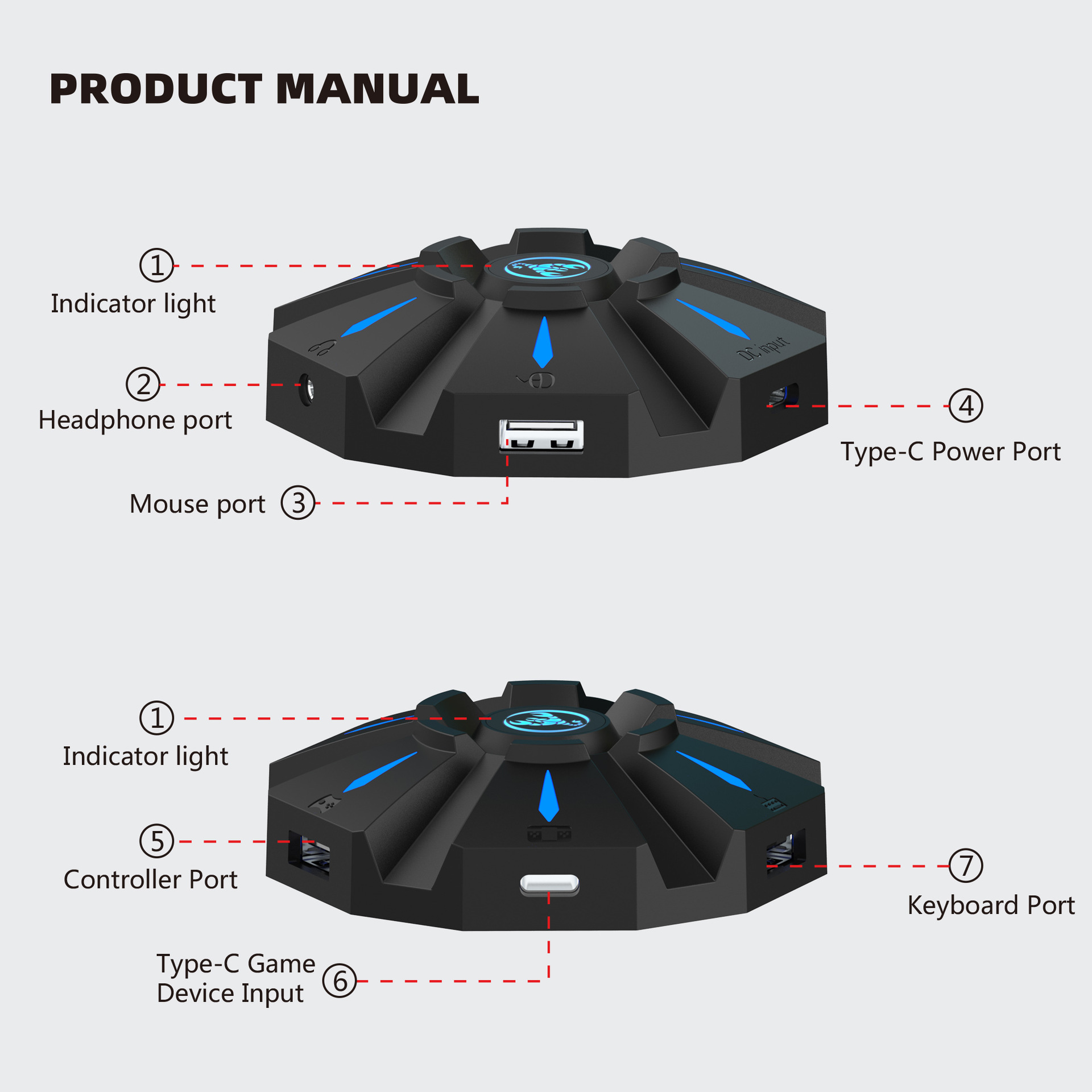
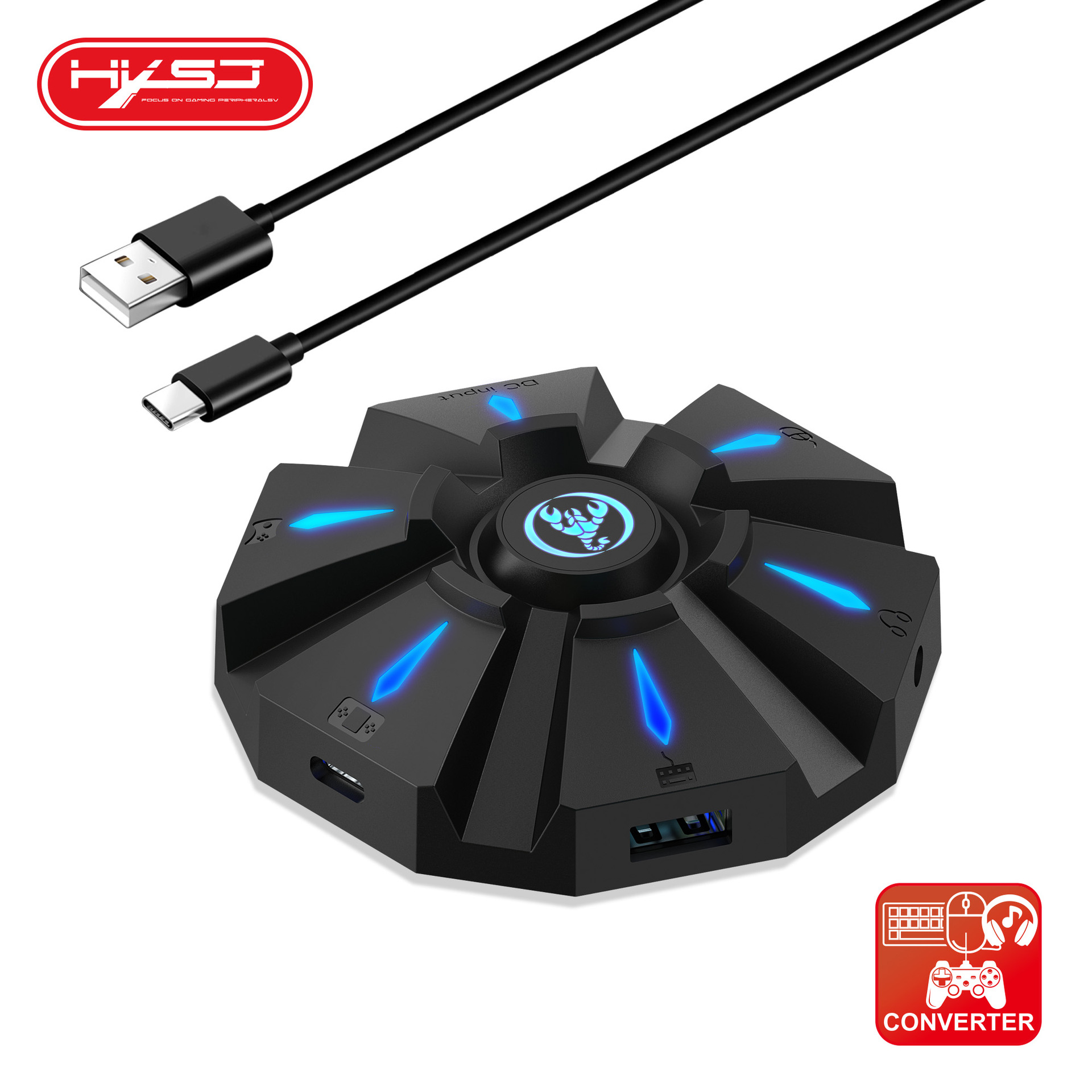
Product interface:TYPE-C charging interface
Rated voltage / current: DC 5V / 100mA
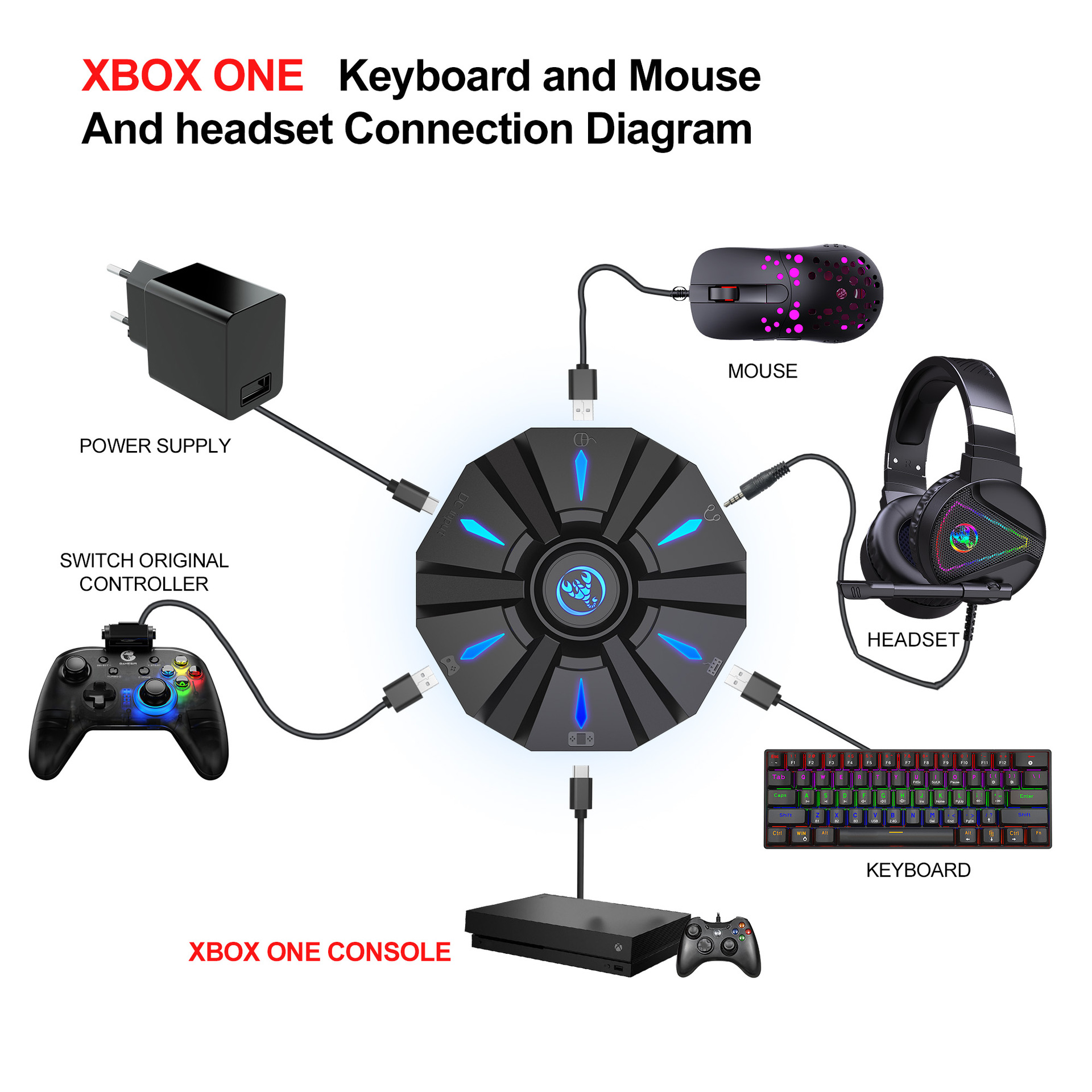
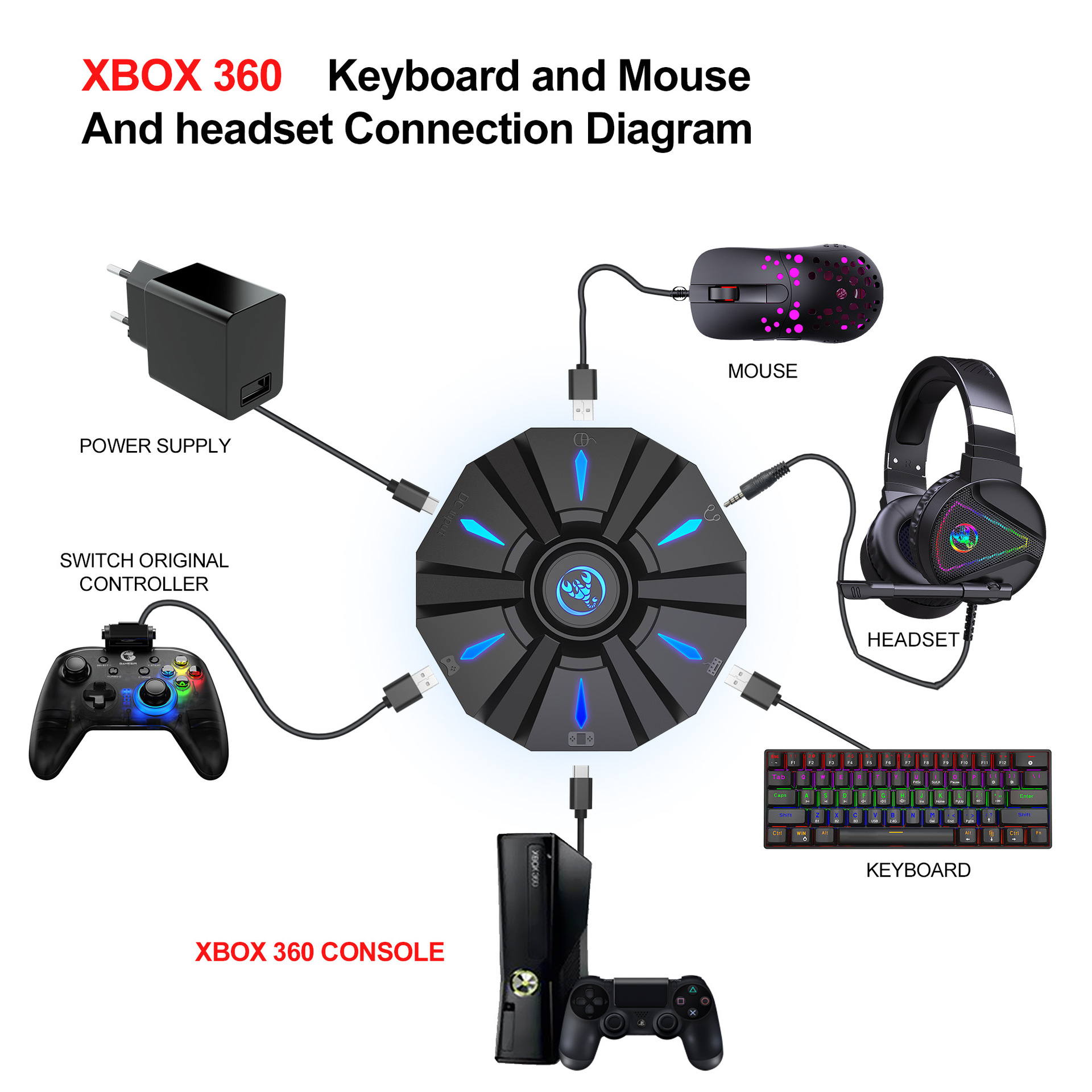
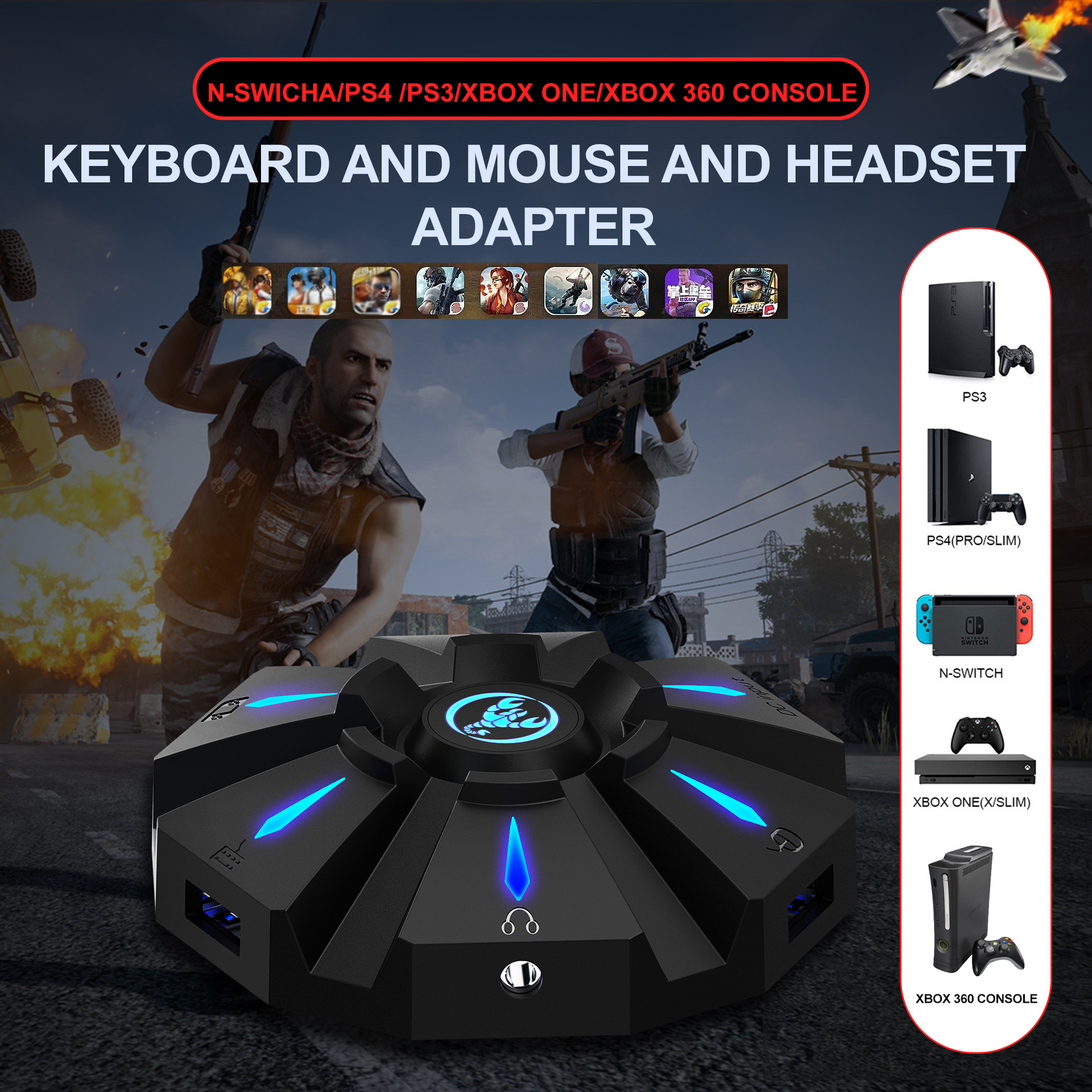
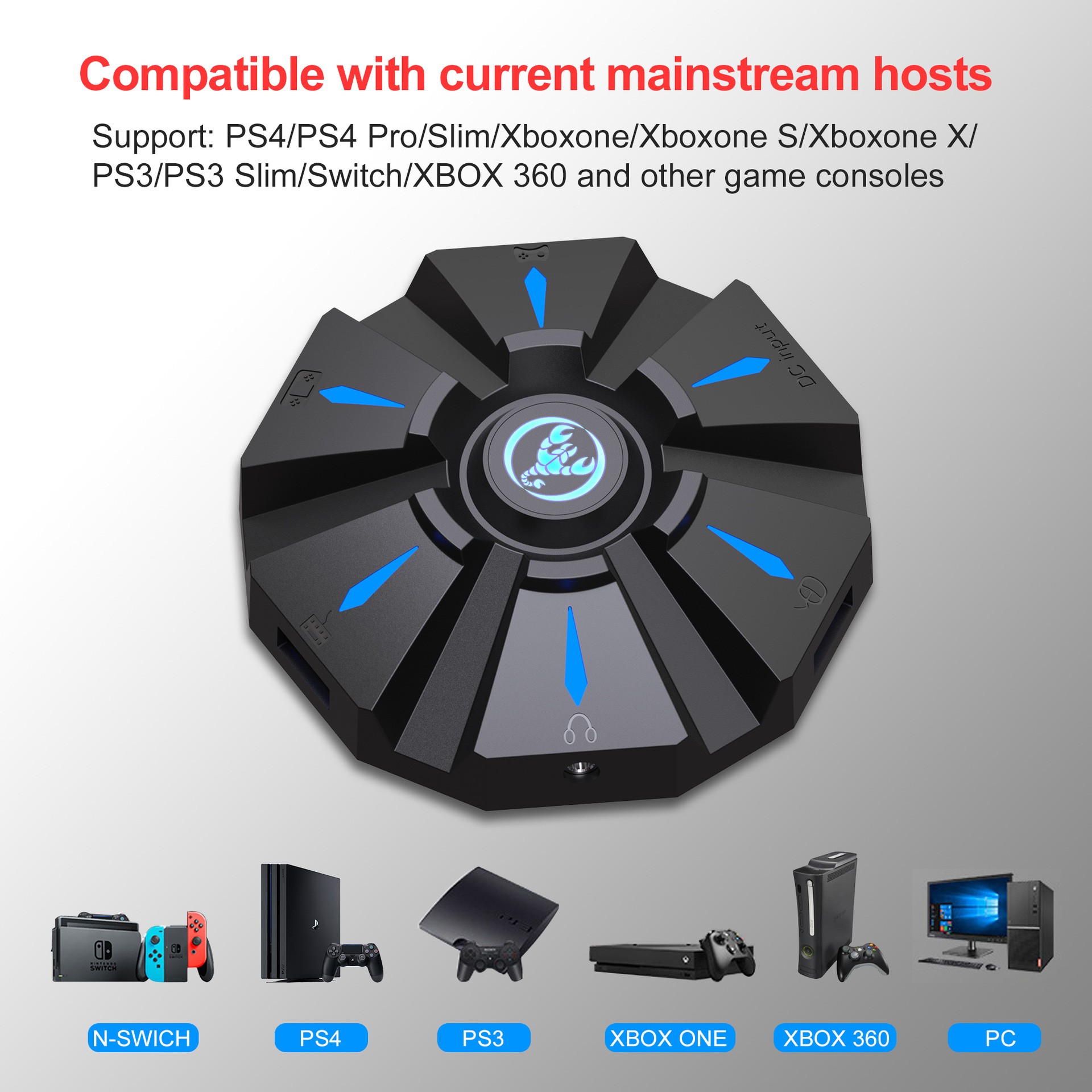
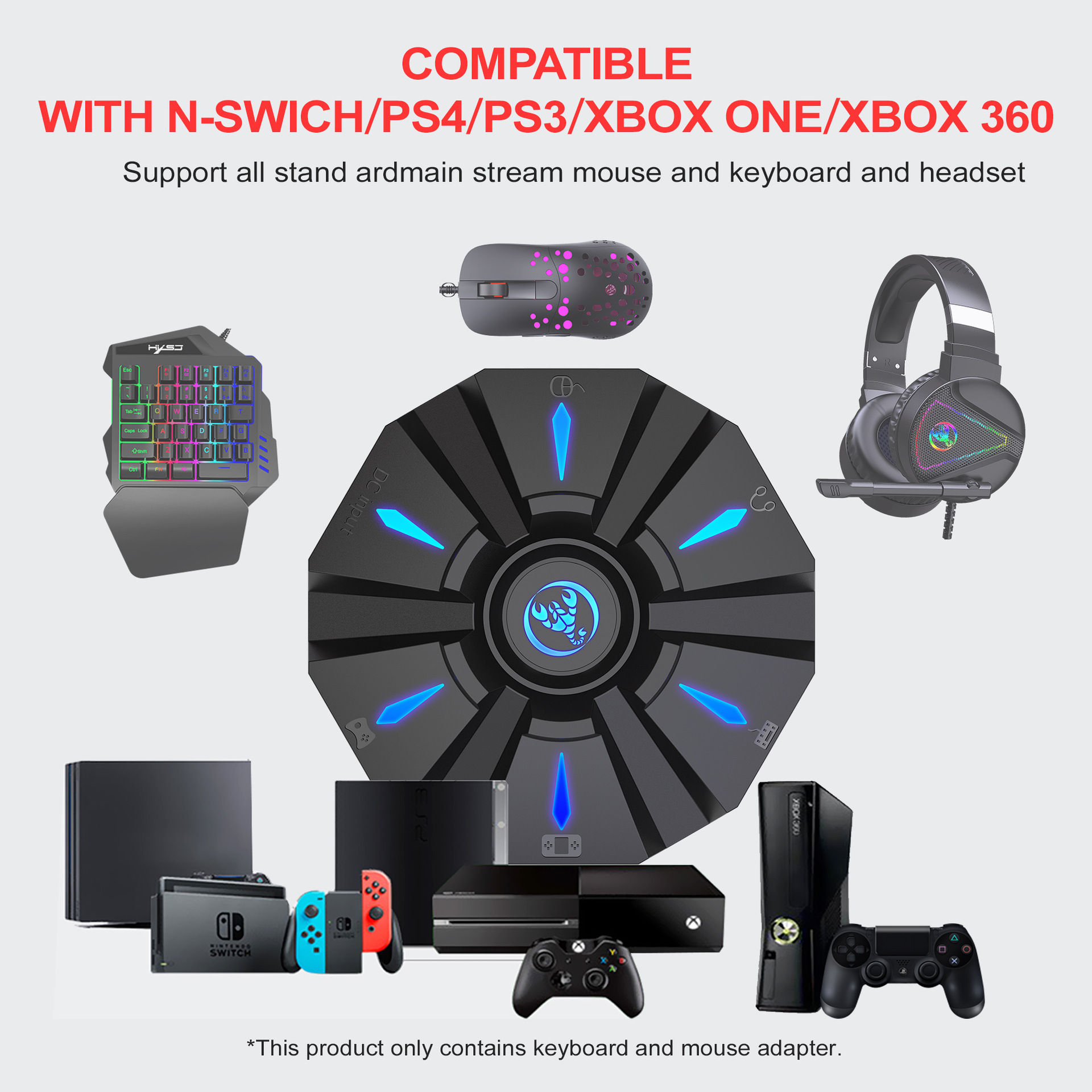
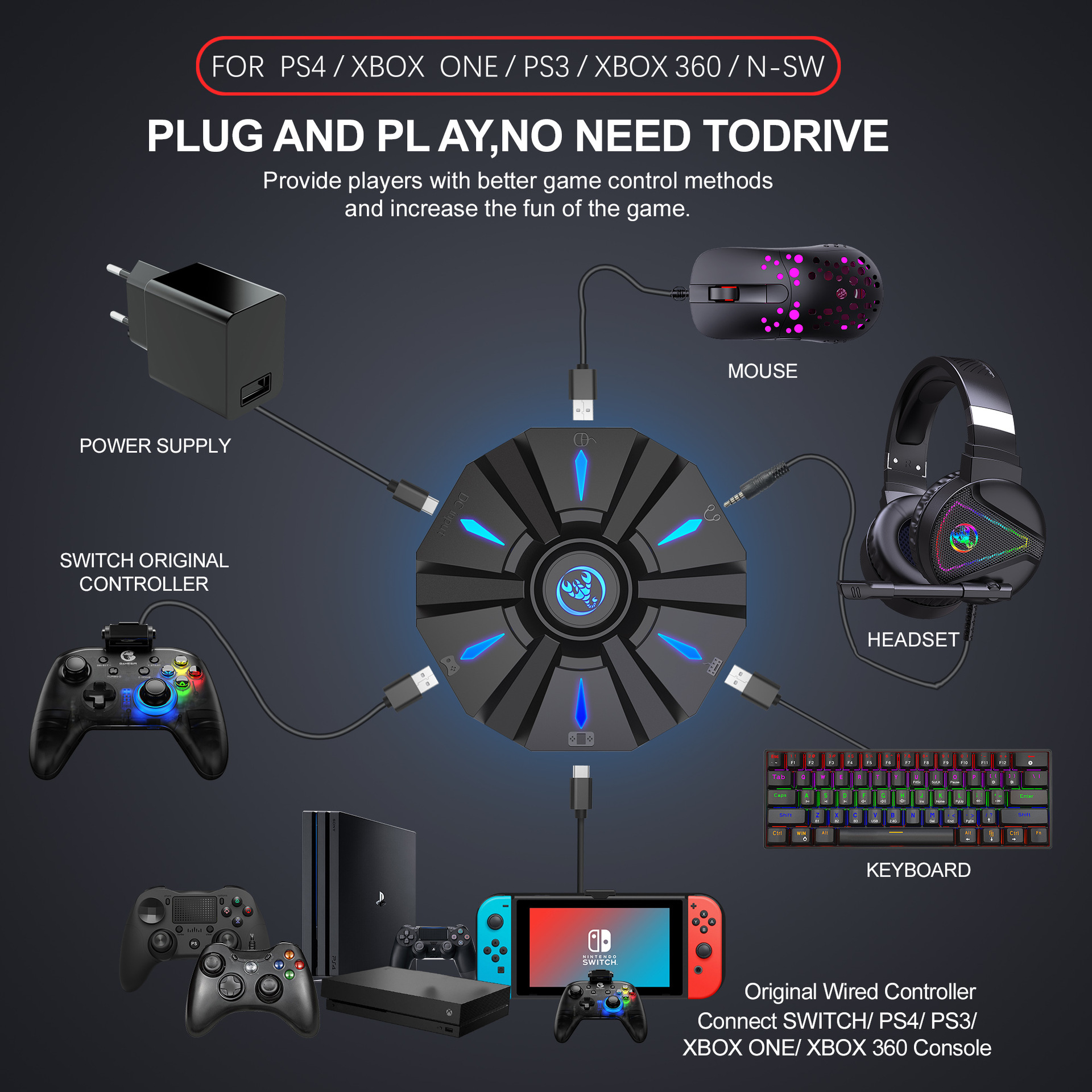
Suitable game consoles: PS4, Xbox One, PS3, Xbox 360, N-Switch

Packing list:
1 * Keyboard mouse converter
1 * User manual
2*TYPE-C Data cable charging cable (100cm length)
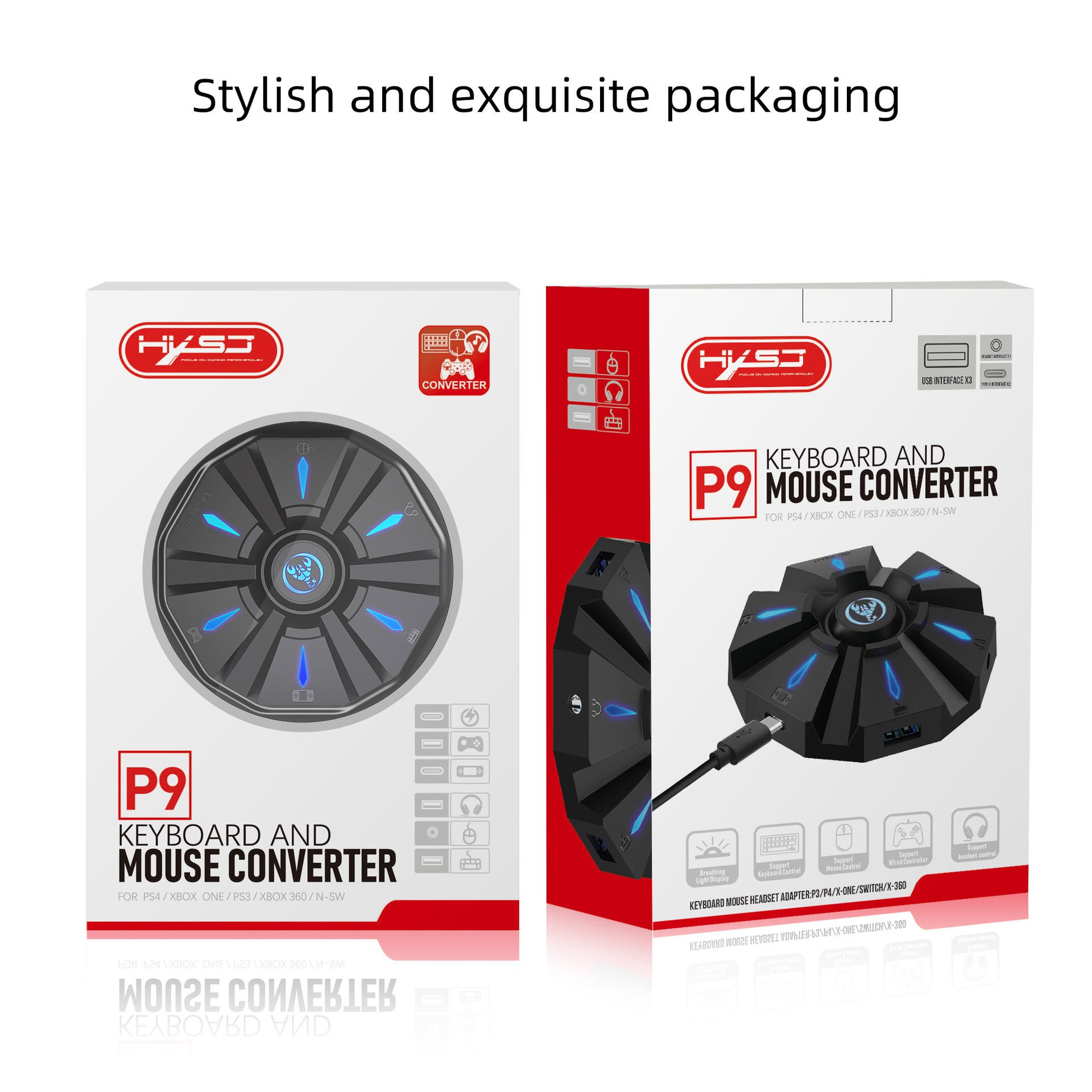
1*Color box English packaging


PRODUCT CONNECTION INSTRUCTIONS:
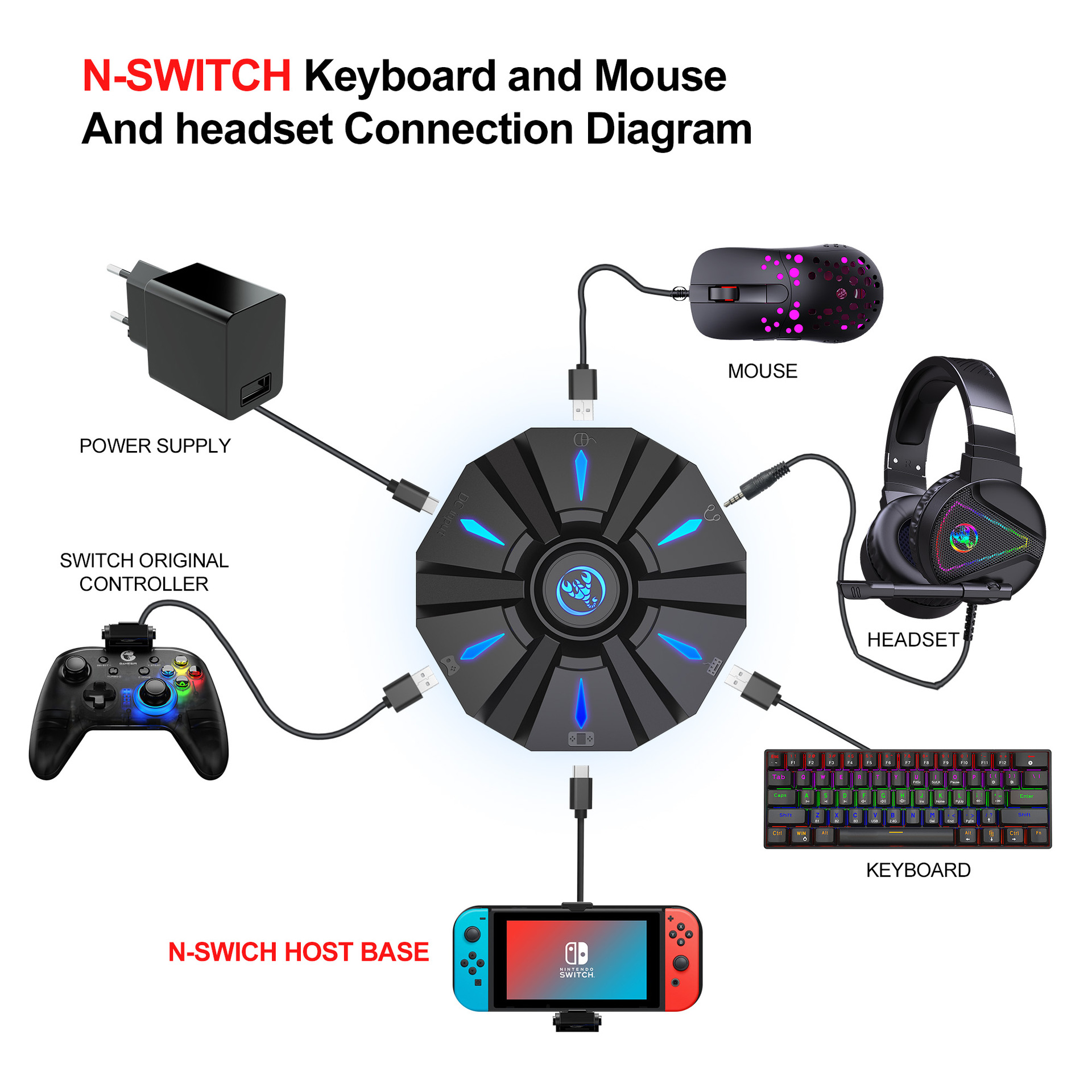
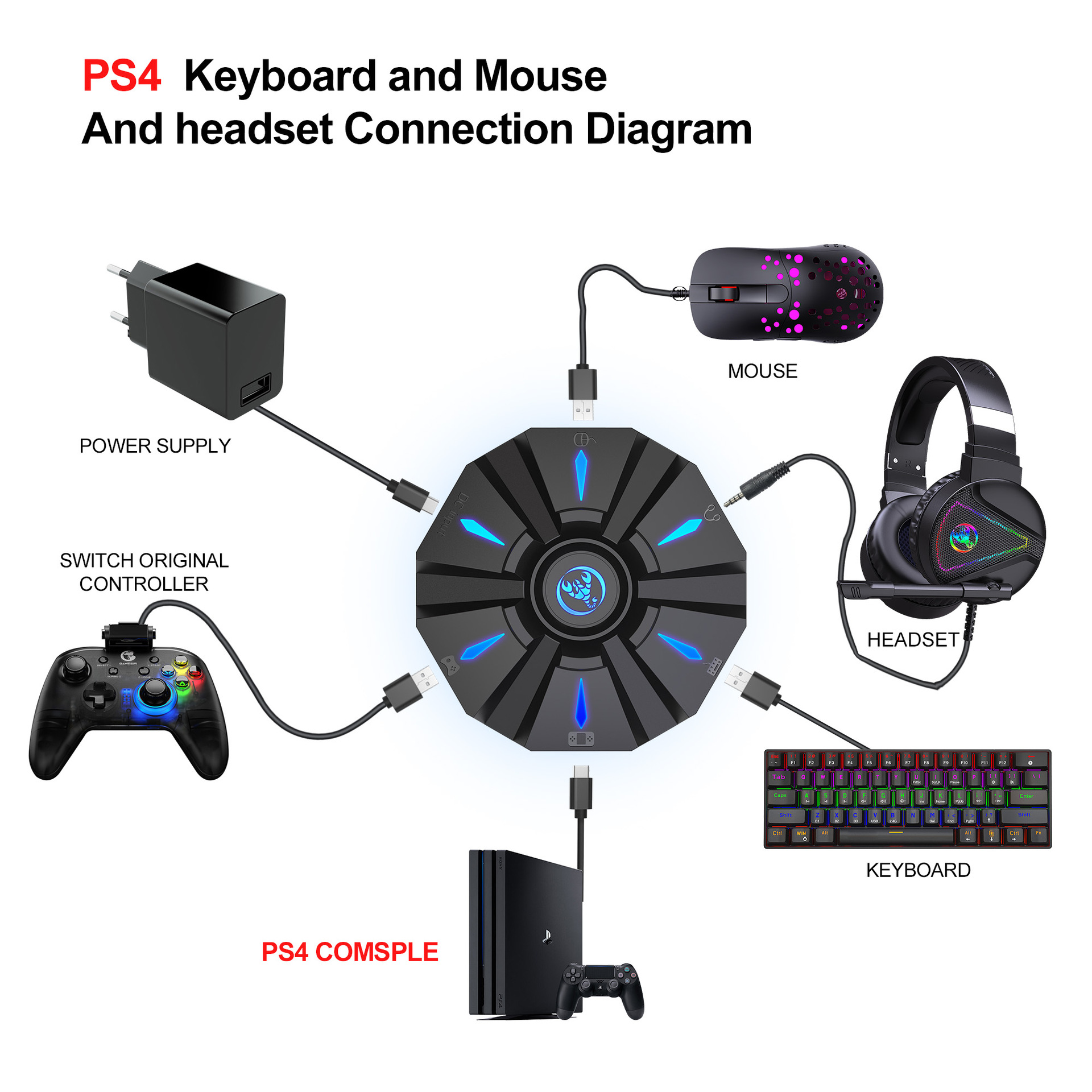
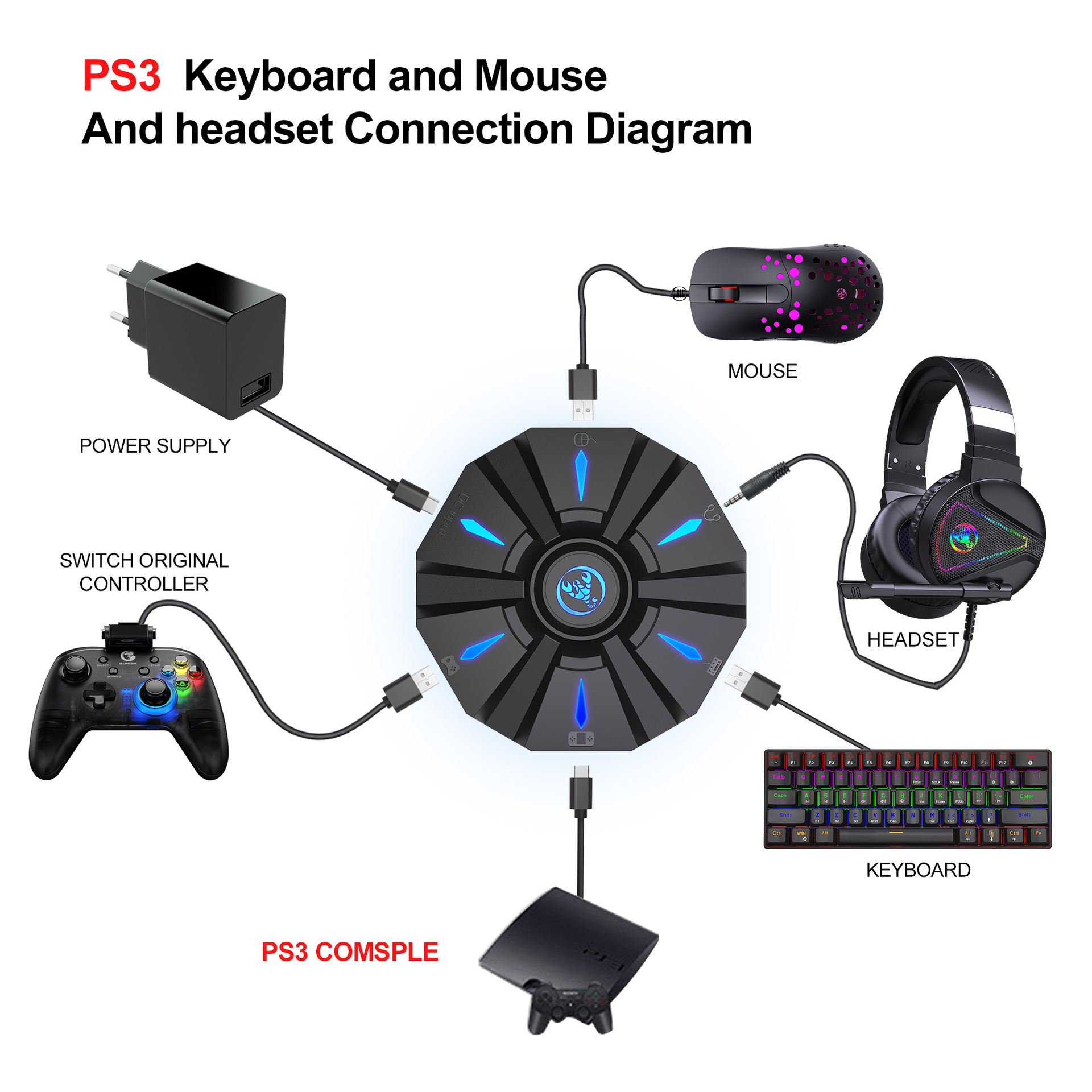
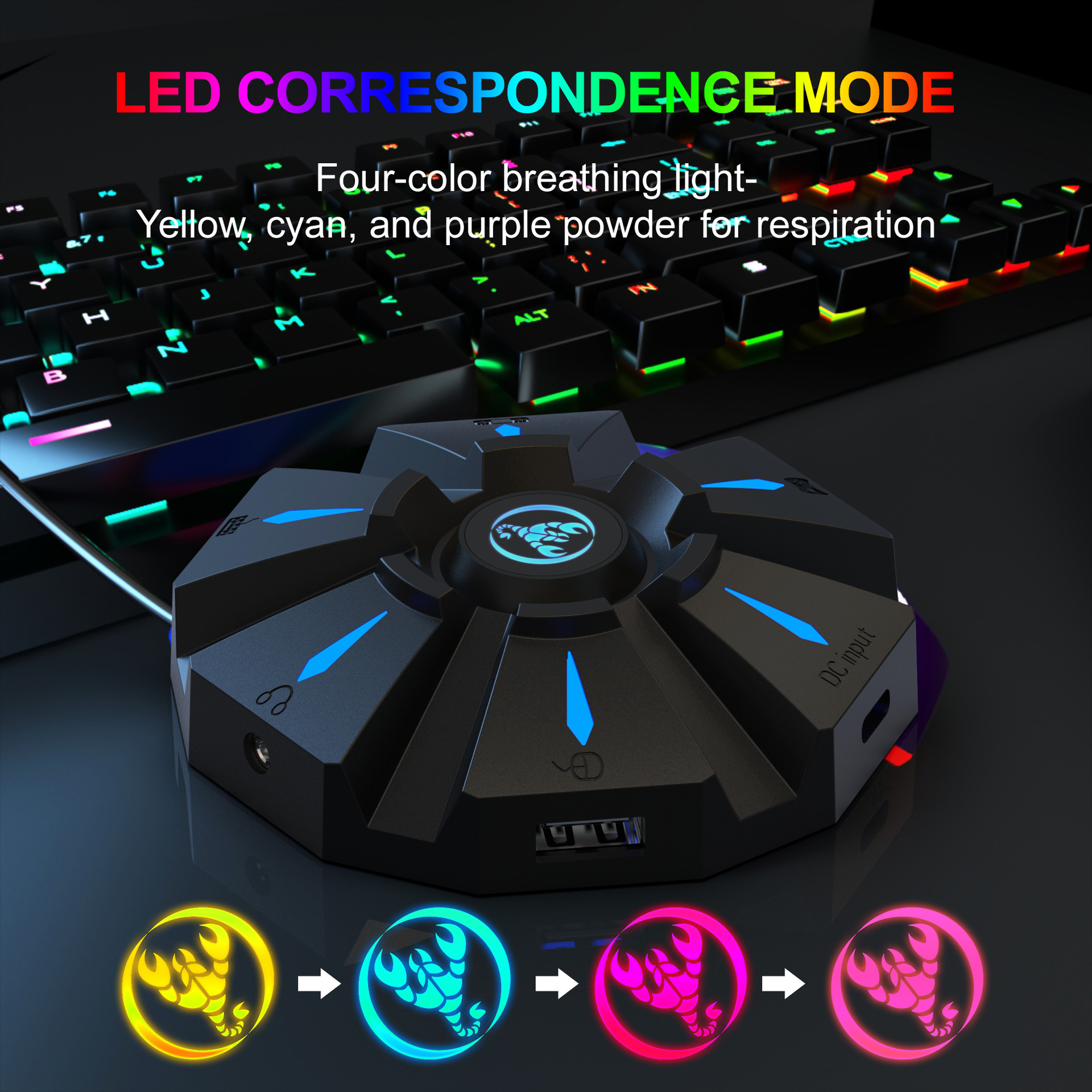
Start the console and connect the adapter via an USB TYPE-C data cable ( USB port plug to the console, TYPE-C port plug to the converter) then LED white light.Plug the original wired controller to guide the yellow LED light.Insert the keyboard then LED red light ;insert the mouse then LED green light.After all connected,the LED will breathe in circulation from yellow,cyan,purple and pink.


SETTING INSTRUCTIONS:
1、Set Keyboard And Mouse Functions
■Press the keyboard ESC + SPACE (space bar) at the same time to enter the function mode of setting the keyboard and mouse buttons (LED blue light)
■Press and hold the function button you want to set on the original controller, then press the button on the keyboard or mouse you want to set, and release the button on the original controller and the button on the keyboard or mouse.
■After the setting is completed, press ESC + SPACE on the keyboard to save the current setting and exit the setting mode.
■For example: press ESC + SPACE (space bar) to enter the setting mode, press and hold the original SWITCH controller A key, and then press the keyboard F key to release the original SWITCH controller A key. The function of the controller A key.
2、Note On Keyboard And Mouse Setting Functions:
■During the setting process, if you do not hold down the original controller function key or joystick to the end, the original set function of the keyboard or mouse will be cleared
■When setting the functions of the original joystick left and right to the keyboard, the direction of the joystick must be pushed to the end, and only the four directions of the joystick up, down, left, and right can be set.
■For the setting of the mouse, when the original joystick direction must be pushed to the end, the mouse slides in the corresponding direction, and the mouse only supports the corresponding function of the left and right joystick directions.
■Original controller cross key supports 8 directions setting

3、Mouse Speed Adjustment:
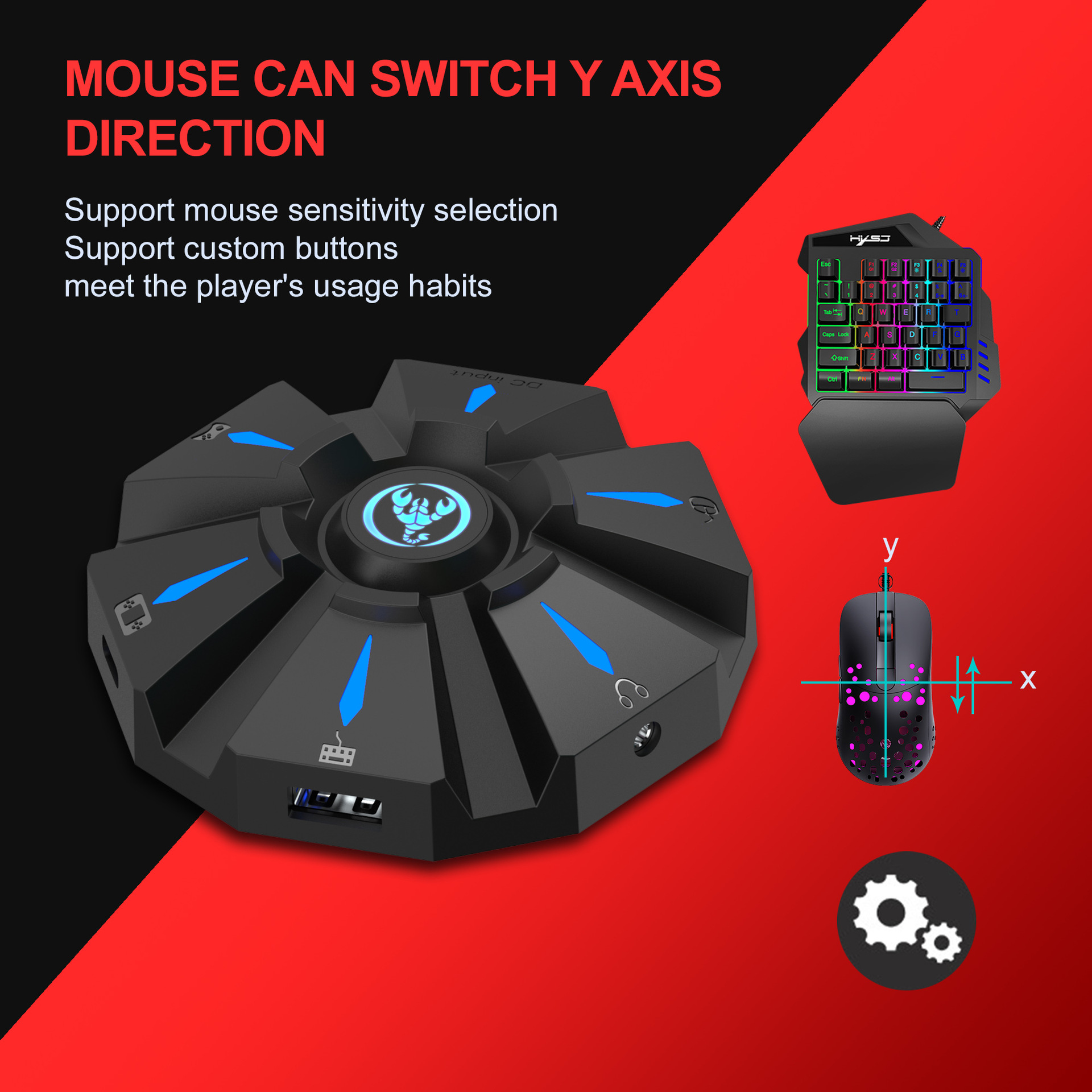
■The product supports mouse movement speed adjustment, the default is the third gear.
■Shaft speed adjustment: ESC + CAPSLOCK+A/ S/ D/ F / G

4、Mouse Y Axis Direction Switch:
The control of the Y axis of some games is opposite to the set value.The game operator can adjust the Y axis direction of the mouse according to his needs by pressing ESC + R.

5、Function Switching Instructions:
■Enter setting mode: ESC + SPACE
■Default page 1: SC+ CTRL + Q
■Exit setting mode: ESC + SPACE
■Mouse speed switch: ESC + CAPSLOCK+A/ S/D/ F / G
■Y axis plus reverse: ESC + R
■Page area selection: ESC+ TAB+Q /W/ E/ R/ T
■Key value restore default: SC + CTRL + ALT (long press for 3 seconds)
6、Upgrade Instructions:
(you cannot upgrade at will without the correct upgrade program)
■On a Windows computer, open the upgrade software. When the converter does not enter the upgrade mode, "Update rm ware" is light gray.
■Connect the converter to the computer through the USB data cable. At this time, the converter's white LED is on, plug in the keyboard and the red LED is on. Press the keyboard SC+ CTRL + ALT + SPACE and hold it for 3s. At this time, the "Update rm ware "Is black, click the button"Update rm ware "to update the converter rm ware.
■The OK window pops up and displays "Update Success", indicating that the upgrade is complete. Click OK.

SETTING INSTRUCTIONS :
I The conversion box is connected to the console and not connected to the external devices, and is displayed as a white light.


■Insert the original controller to guide and display the yellow light,
insert the rst device to light red, then insert another device to turn on the green light, successfully turn yellow, and then the color of the breathing light will turn yellow, green, purple and pink (circulation).
Each color breathes 4 times to change one color.
Press the set key function to light up blue.


PRECAUTIO NS:
■To ensure the normal use of di erent consoles by keyboard and mouse, you must use the original controller (supporting wired functions) corresponding to each platform to guide.
■The keyboard and mouse interface cannot be connected to the controller.
■Supports 95% of keyboards and mice on the market. If you encounter incompatibilities, please provide the actual product to customer service for up grade.


undefined
undefined
undefinedundefined
undefined
undefined
undefined
undefined
undefined
undefined
undefined
undefined
undefined
undefined
undefinedundefined
undefined
undefined
undefined
undefined
undefined

Specs

Input: 100-240V. Output: 20W Max. Fire-retardant shell for maximum safety.

Shipping

Standard and expedited shipping options available at checkout.

P9 keyboard mouse converter set supports various gaming devices and gamepads in the market

P9 keyboard mouse converter set supports various gaming devices and gamepads in the market

$36.24
Three ports to total organization.
Setup your new centralized charging station in seconds.
Connect

Connect


Plug the Multi-Port Charger into any standard US wall outlet near your desk or bedside table.

Simplify

Simplify


Attach your iPhone 17 and two other devices using your existing cables into the PD and USB ports.

Relax

Relax


Enjoy a clean, cable-managed space with all your devices charging rapidly from a single source.

Connect

Connect


Plug the Multi-Port Charger into any standard US wall outlet near your desk or bedside table.

Simplify

Simplify


Attach your iPhone 17 and two other devices using your existing cables into the PD and USB ports.

Relax

Relax


Enjoy a clean, cable-managed space with all your devices charging rapidly from a single source.

Why this adapter clears your mind.
Eliminate Bulk

Remove the massive power bricks that crowd your power strips and block other outlets.

Safety First

CE Certified with built-in protection against over-voltage, short circuits, and overheating.

Why this adapter clears your mind.
Pro Speed PD

Dual 20W Power Delivery ensures your iPhone 17/16 charges at its maximum supported velocity.

Universal Hub

One solution for your phone, earbuds, and secondary devices without swapping cables constantly.

After
Before
Cable Chaos
Tech Harmony
Stop the cable Chaos

Switch from three bulky adapters to one streamlined hub and watch your workspace transform.

GET ORGANIZED

Real Relief from Real Customers

Join thousands who simplified their tech routine.

4.9 out of 5
Sarah M. review photo

I used to have three different bricks for my phone, watch, and Kindle. This one charger replaced them all. It's so much cleaner.

Sarah M.
Marcus D. review photo

The 20W speed is legit. My iPhone 17 charges faster than with the original apple brick, and I have extra ports now.

Marcus D.
Elena G. review photo

Perfect for my nightstand. It fits behind the headboard easily and handles everything I need to charge overnight.

Elena G.
Kevin T. review photo

Finally, a charger that doesn't feel cheap. It's solid, doesn't get hot, and actually looks good in the outlet.

Kevin T.
Rachel W. review photo

I travel a lot for work and this is the only adapter I pack now. It saves so much room in my bag.

Rachel W.
David S. review photo

Simple, effective, and keeps my desk looking professional instead of a tech graveyard. Highly recommend.

David S.
Efficiency, not empty promises.
Proven results for your daily charging routine.
Yellow wood grain wireless charger and bedside lamp on a nightstand with a smartphone charging, set in a warm, cozy bedroom.
3x
Outlet Efficiency
Charge three devices while only using one wall socket.
20W
PD Speed
Reach 50% battery in 30 minutes on supported devices.
80%
Less Clutter
Reduce visible adapter bulk on your desk or nightstand.

Fast Shipping

Ships within 24 hours

1-Year Warranty

Guaranteed performance

CE Certified

Top safety standards

Easy Returns

30-day trial period

Limited Stock Available

Organize Your Setup

Order now to get 15% off your multi-port charging hub.
00
Hours
00
Mins
00
Secs
CLAIM DISCOUNT
Fast Charging Power Adapter US Plug Dual PD 20W/USB Multi-Port Charger for iPhone 17/16 eprolo
30 DAYS TO FEEL THE CALM
If your workspace doesn't feel more organized and your devices aren't charging faster, we'll give you a full refund. No questions asked.
No-Hassle Return Policy
Full Technical Support
Safe Charging Guarantee
Fast Charging Power Adapter US Plug Dual PD 20W/USB Multi-Port Charger for iPhone 17/16 eprolo

Customer Stories

Reclaim your space from cable chaos today.

Streamline your nightstand with the 3-port hub designed for effortless charging.